How to build an interactive website experience from product photos with GPT-6 Astra & AI videos as UI animations
This idea brought me 1,000,000+ views across social media, so here I'm sharing how I used AI to turn merch catalog photos into a responsive clothing display
The starter includes a working two-shirt example, prompts and instructions for your AI agent. You can run it first, then ask the agent to adapt it to your own products. The shirts use my original artwork; Molimao’s catalog photography stays in this case study.
Give the repository to Codex or Claude Code. Your agent starts the included example and guides the rest
01 / The design decision
Applying a visual concept to a real catalog
I saw a clothing-store concept by @cambreedesigns on X. Garments hang sideways on a rail. Hovering makes room between their neighbors and turns the selected item toward you. The interaction borrows a familiar action from a physical shop: move things aside to inspect one.
I often look for ways to apply a strong visual idea to a real business. For this experiment I chose Molimao Sarajevo, a local clothing brand. I live in Bosnia and like building my experiments with its brands and places. Their existing product photos gave the concept a concrete test: preserve a recognizable garment while making it interactive.
Why I chose video instead of 3D
The display needed photographic product detail: fabric, cut and print. I considered 3D, but building garment models and materials for the entire catalog would have added a separate production process. I also wanted to avoid a simplified render changing how the product looked. For this experiment, working from photographs kept the production focused on the existing products.
I had already tested a frame-based approach in another clothing showcase. Generate a fixed movement, split it into images, then let code decide which image to show. A locked camera and one quarter-turn fit this approach: the two orientations covered the interaction I wanted.
We started with Molimao’s white “Before” T-shirt. I set the visual and interaction criteria, selected outputs and reviewed each iteration. In Codex, the agent prepared assets, ran generation through an API, processed the footage and built the interface. We proved the sequence on one product before expanding it.
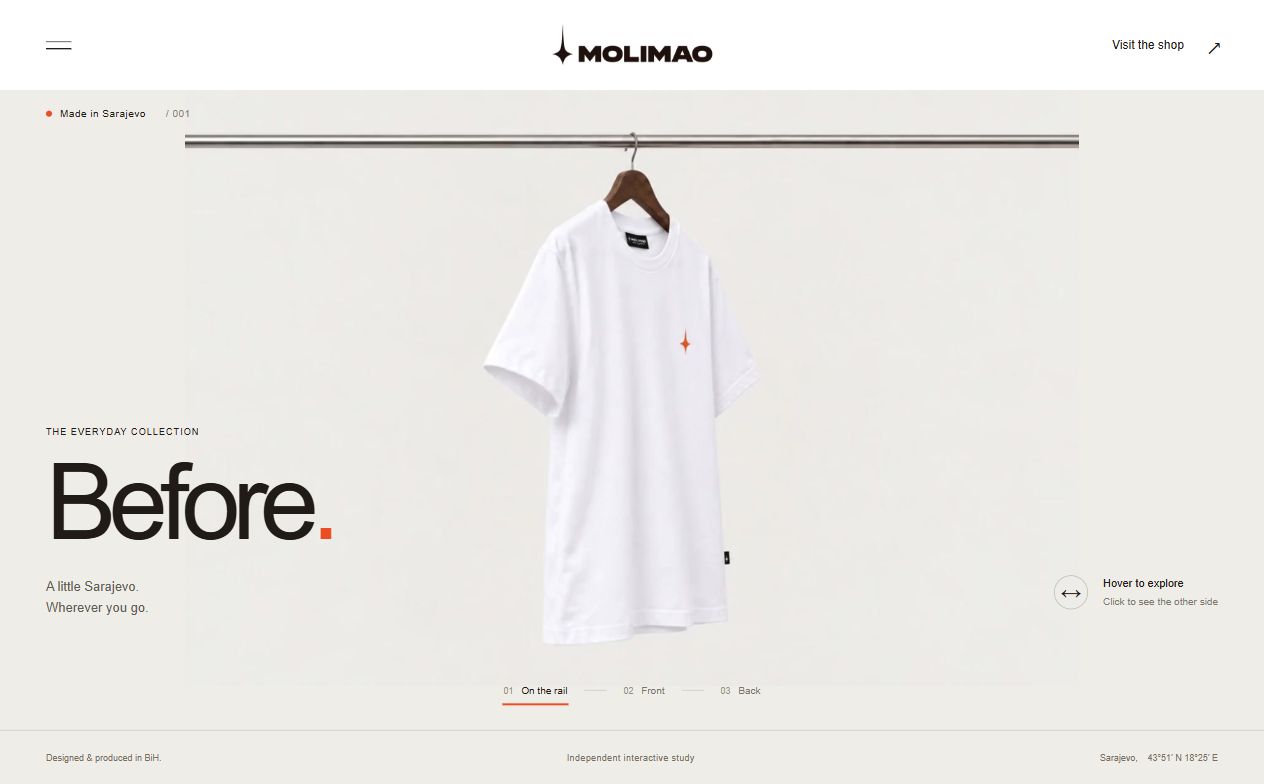
The initial layout missed that shared-rail behavior. I made the motion requirements explicit so that the generated footage and the interface would obey the same rules.
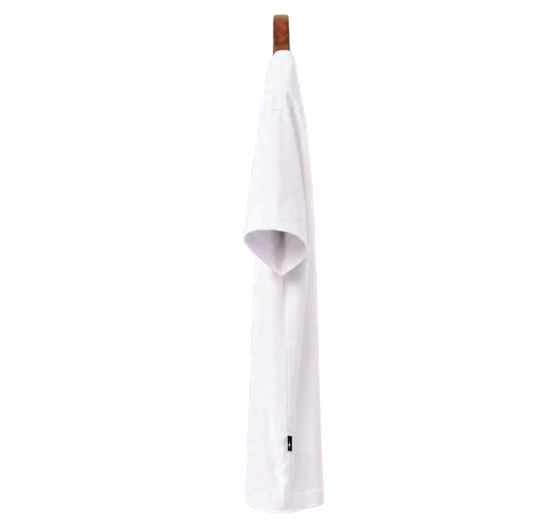
Strict profile
Exactly side-on, with no three-quarter turn toward the camera
One 90° turn
Garment and wooden shoulders rotate together. Neighbors slide aside without dimming
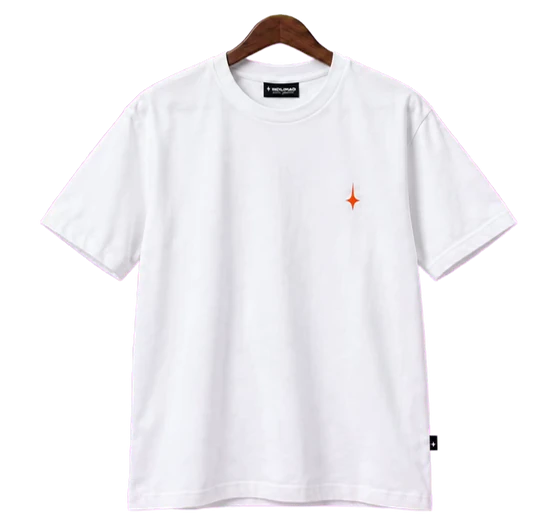
Front view
Leaving reverses the turn. Clicking opens the product view
02 / Images to video
Preparing the image anchors and connecting LTX to Codex
Catalog photos establish identity: shape, fabric color and the position of the print. The animation needs that product in two matched poses. I used the built-in image-generation tool in Codex, which I referred to as GPT Images 2 (Google’s Nano Banana Pro or Nano Banana 2.1 can also be used for this step): first a front view on wooden shoulders, then a strict profile derived from that accepted image.
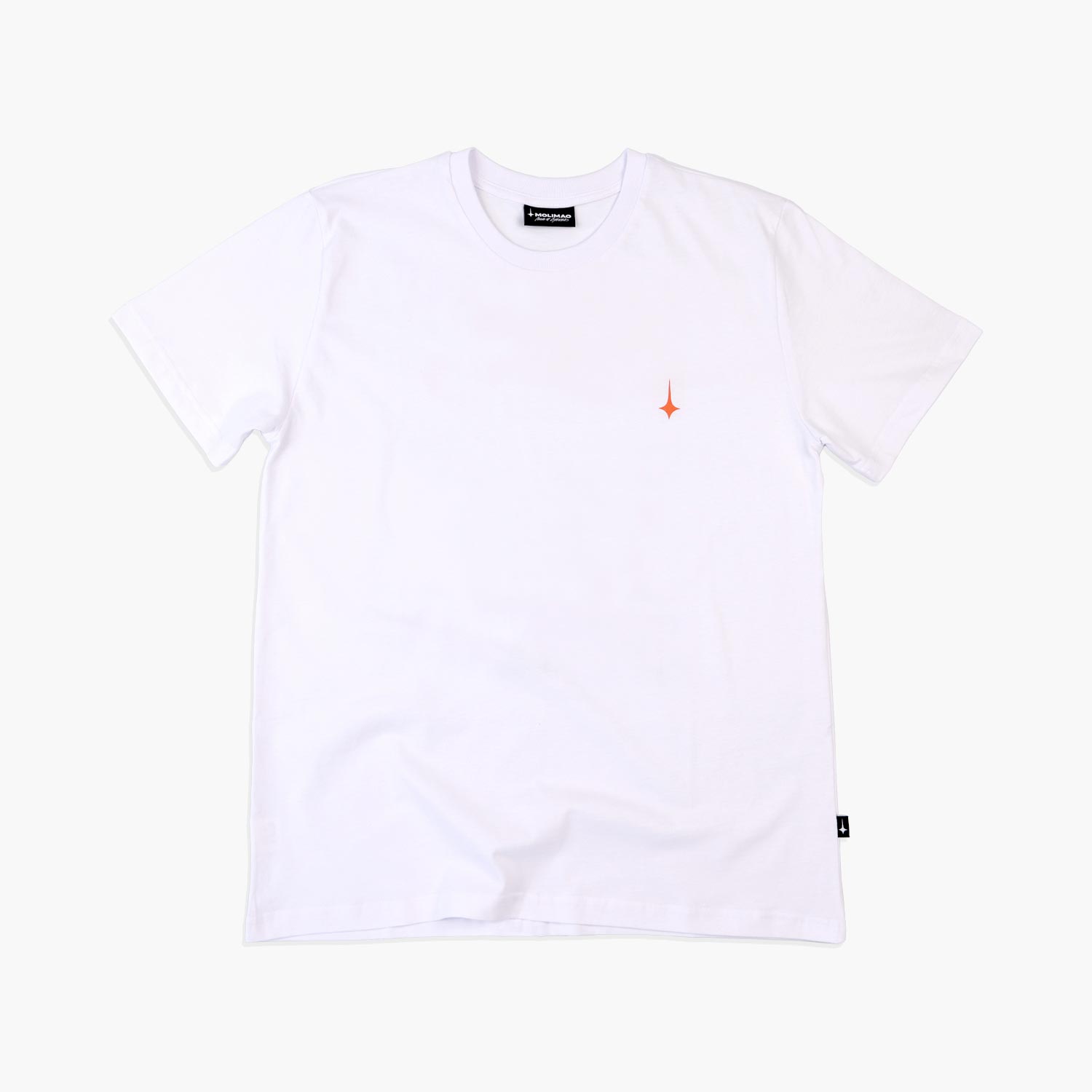 Catalog photo · front
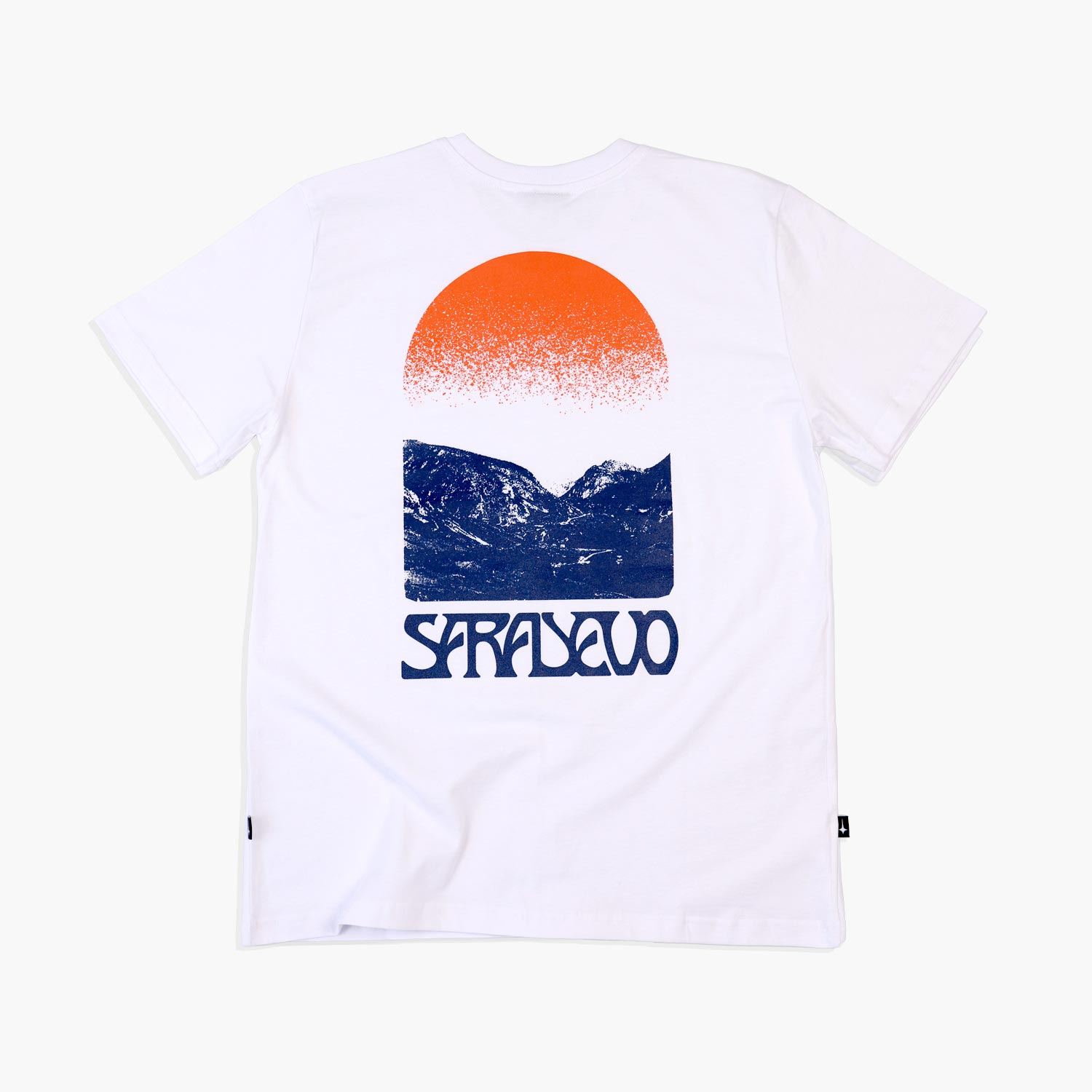 Catalog photo · back
Generating the profile from the accepted front image helped retain scale, light and hanger position. We used a flat green background to make separation easier. For a garment containing green, the backing or masking strategy must change.
Image prompt · front view
Attach the original front photograph. Approve the product's identity before generating the second pose
Create a photographic product image of this exact T-shirt on thin wooden shoulders, viewed directly from the front. Preserve its cut, color, small orange chest symbol and labels from the reference.

Locked camera, soft neutral lighting, full garment visible with generous clearance. Landscape 16:9 canvas. Center the top wooden suspension apex.

Use one flat bright green background: no gradient, shadow or green reflections on the fabric. Exclude metal hooks, wires, rails, mannequins, captions and extra objects. Produce one image
Image prompt · strict profile
Attach the accepted front anchor as the main reference
Change only the orientation of this T-shirt and its wooden shoulders. Rotate them together exactly 90 degrees around the vertical suspension axis. Show a strict side profile, with the front surface facing right and the broad chest plane hidden. No three-quarter view.

Preserve canvas, scale, top suspension apex, hem height, fabric, light and the identical flat green background. The wooden shoulders overlap in profile. Do not add a hook, rail, new details or text
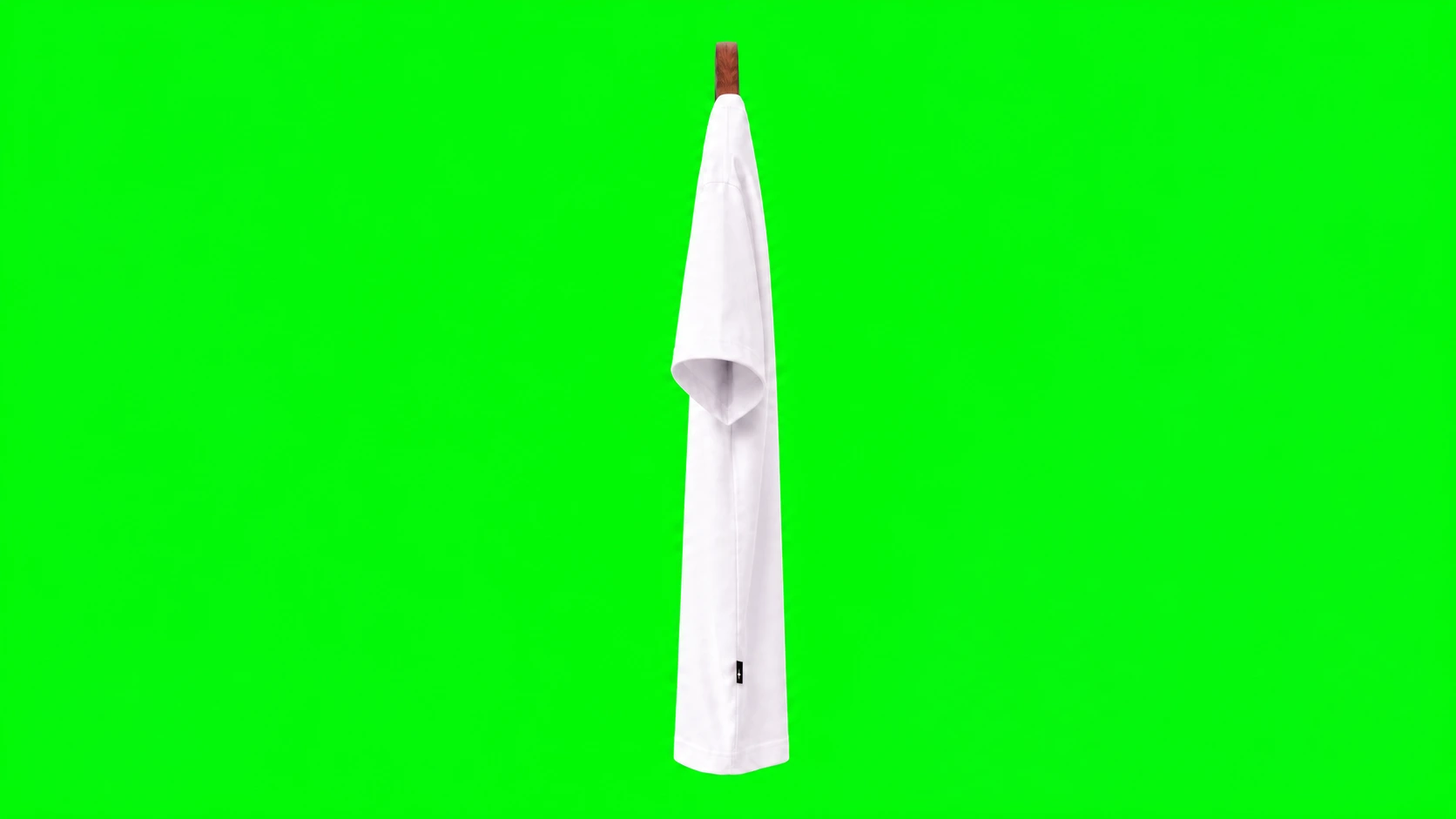 First frame · profile
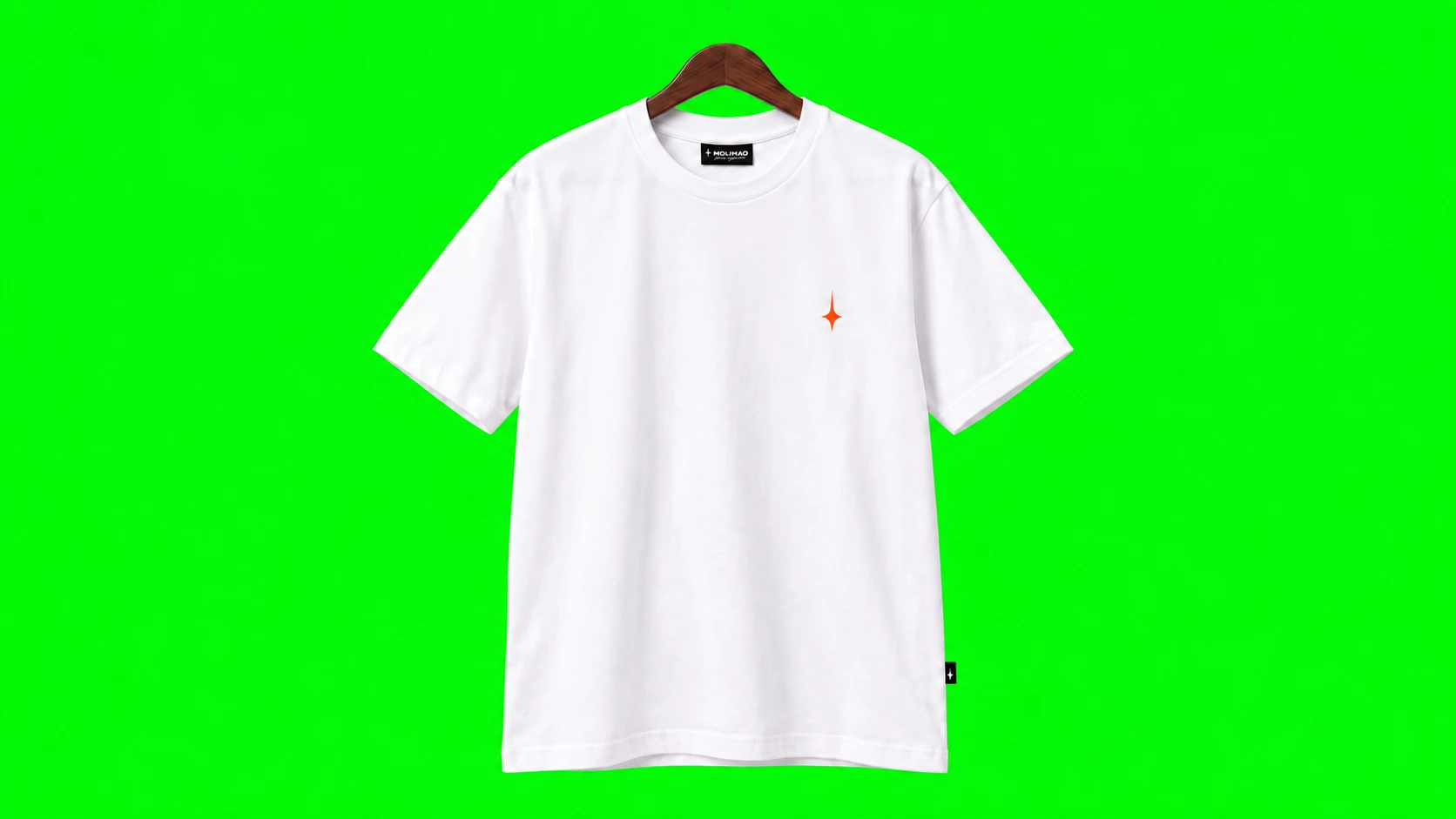 Last frame · front
For video, the profile becomes the first frame and the front view the last frame: the two endpoints the model should connect. We checked the pair for matching apex, size, color and frame clearance. The wire stayed outside the generation; rendering it separately avoided a fragile thin edge in every frame.
The API became part of the development process
We connected LTX API to the workflow in Codex. A local script sent the two images and motion prompt to LTX-2.5 Pro, saved the job ID, checked completion and downloaded the video into the project. I approved the spending limit and selected the takes. The website itself never calls the model.
images + prompt→LTX API
video generation→Project folder
MP4 + job receipt
The source requests used six seconds, 1080p and 50 frames per second, without audio. The constraint was one smooth quarter-turn with a locked camera and consistent light. Generation length and interaction duration are different settings; the UI would not make someone wait six seconds.
How your agent connects the video model
The repository includes an LTX connector and an example request. Your agent prepares the settings, helps you connect your account privately, and shows the estimated cost before generating. The connector saves a job receipt so an interrupted request can be resumed. The LTX API documentation is linked in the repository for the agent to check.
You review the two images and approve a spending limit. The agent handles the request, downloads the video and prepares the animation files.
Inspect the source footage
The generated file is intermediate material. We still have to choose a useful interval, remove the backing and test the turn in its actual controller
03 / Transparent frames
Separating the garment from the background
To place the rotating garment on the site’s rail, we removed the green background from each frame. The transparent result could sit over the page while staying attached to one suspension point.
- Select and sample the turn. Extract the useful interval and retain a compact sequence of frames, including its exact endpoints
- Build the alpha mask. Identify the flat backing and soften the boundary. Alpha describes each pixel's transparency
- Remove color spill. Clean green contamination from partly transparent edges, then inspect sleeves, hem and wood against contrasting backgrounds
- Register the suspension point. Keep the wooden apex at one screen position. Apply one shared crop and scale across the sequence; independent crops would make the garment jump
- Pack the frames. Store them in a WebP atlas (a single image containing a grid of animation frames), with a small file describing the grid
Most rail items used 30 frames; some retained more. A fixed wire in the interface connects the rail to the apex. Its position does not change while the shoulders turn underneath.
“Before” T-shirt / LTX-2.5Preparing frames…
Try the dark background: it reveals pale halos. Orange helps expose green residue. The green Tag Green hoodie needed its own treatment so the key would not remove fabric with the backing. We adjusted the background removal for individual garments.
04 / Reversible motion
Turning six seconds of footage into responsive hover
We now had six-second video files. Waiting for each one to play would make browsing slow. The next problem was to complete the same turn in a fraction of a second and allow interruption at any point.
The site chooses a cell from the atlas according to a small timeline. Hover moves its playhead toward the front; leaving reverses it from the current position. Hovering again during the return changes direction without restarting at frame zero.
Intent delay
before starting
Complete turn
to the front
Complete return
to profile
Speed removed the wait, but the first accelerated version felt abrupt. I refined the intent delay, acceleration, braking and direction changes. The final adjustment softened the outer 30% of the motion curve while retaining its middle and overall duration.
Preparing comparison…
The neighboring garments also move with smooth acceleration, at full opacity. Dimming them had made the scene feel less physical, so I removed it. At rest, the selected item holds the timeline's endpoint. Swapping in an unrelated PNG after the turn could introduce a visible jump in fabric or hanger thickness.
05 / Testing the footage
A good video can still fail as an interface animation
A take can look convincing in a player and become unstable after trimming, acceleration and easing (the curve that controls how motion starts and stops). Sideways drift, rocking or changing folds become much more visible at hover speed.
We therefore tested each take at source speed and in the interface, including partial turns, reversal and repeated pointer changes. After acceleration, the Cupid tee and purple M Bird tee visibly rocked. Grow and Forora showed similar problems later. Once the interaction timing felt right, I kept it and replaced the unstable footage.
We regenerated clips with unstable movement and trimmed takes that contained a clean turn. For Cupid, we kept the clean forward turn from 2.8 to 4.5 seconds of a new take. For Forora, we used the early interval before extra rotation. Background residue and bright wooden-edge flashes were processing problems, handled separately.
The acceptance criterion was a stable, recognizable product throughout the interaction. Easing changes when frames appear. It cannot restore a distorted print or remove oscillation already recorded in them.
06 / Touch interaction
Separating browsing from selection on a phone
Desktop hover depends on a pointer. On touch screens, we needed a clear distinction between browsing and opening a product. I kept one garment centered, with neighboring profiles visible. Swiping changes the selection; after settling, the central garment turns.
Swipe to browse
The rail follows the gesture, then settles the nearest garment in the center
Tap to inspect
A separate product view shows the available sides. Closing it returns to the same selection
Change your mind
Reversal should remain continuous; a completed swipe should not also open a product
09Browser recording with a mobile viewport. Tests on physical iPhone and Android devices are a separate, unconfirmed step
The full case-study collection contains ten garments. Eight have an animated front/back transition in their product view, using LTX or Kling through Pika. Cupid and the 2067 crewneck lacked verified back photos, so I removed that option. The starter focuses on the rail interaction and uses static detail images.
07 / Loading
Solving loading problems
After expanding to ten products and sharing a public demo, we hit a cold-load problem. On a connection around 10 Mbps, profile stills appeared before the animations were ready. The interface looked usable, but hover did nothing for ~5 seconds in my initial test.
A loading screen with real progress showed when the collection was ready. We then reduced the size of the image sheets containing the animation frames and bundled them into one download. The number and dimensions of the frames stayed the same, and we checked the transparent edges after compression.
time until the collection
accepts input
In that local test, the collection became interactive about 2.9 seconds sooner. Measurements through the public address varied between runs, so connection and device conditions still matter.
The browser also needs memory to display those frames. The two-shirt starter downloads about 0.84 MB of animation images, which occupy roughly 41 MB when unpacked into pixels. Your agent checks both download size and memory use before adding more products.
08 / Build your own
Give the starter to your AI agent
To make this workflow available without distributing a clothing brand's catalog, I repeated it with two original prints: an alpine landscape on a white T-shirt and black card artwork on a pastel-pink T-shirt. These generated garment concepts are the running example in the starter. The Molimao visuals in this article remain the record of the original experiment.
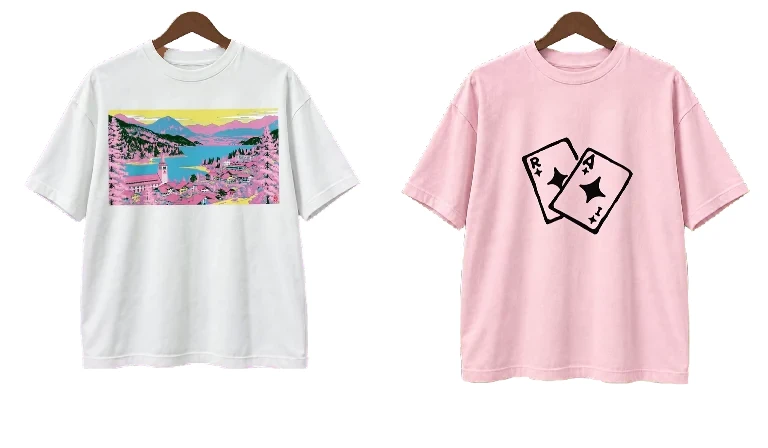
The image tool produced the cotton bases and matched views. I kept the original graphics as the print source. The white turn uses LTX-2.5 Pro; after an LTX balance failure, the pink replacement used Kling 3.0 through Pika. The four completed video takes cost $3.51 in total at the prices recorded for this experiment; that includes rejected takes. Your agent checks current pricing before proposing a budget.
The starter includes prepared motion, so readers can try the interaction before opening an API account. Its detail view uses static front/back images; the animated product-card transitions shown in the larger Molimao demo are outside this package.
Paste the repository link into Codex or Claude Code
Open a development chat in your agent, give it the GitHub link and paste the request below. The repository tells the agent how to set up the project, run the example and build your version. You supply the product and make the visual decisions.
Use this repository to build my interactive clothing website: https://github.com/amirmushichge/interactive-garment-starter

Read AGENTS.md and START-HERE.md, then follow docs/agent-workflow.md. Set up everything you can and open the included example for me first.

Then help me replace one garment with my own photos or artwork. Ask only for missing files, account access and visual decisions. Handle setup, image preparation, video generation, background removal, animation and testing. Show me the image anchors before generating video and ask for a total budget before any paid requests.

Keep the result local until I approve publication.
- The agent opens the example. It checks your computer, prepares the required tools and gives you a working local link
- You choose one product. Share photographs or a print, and a reference for how the website should look. The agent asks for anything missing
- You approve the images and budget. The agent prepares the front and profile views, connects an available video tool and proposes a bounded generation cost
- The agent builds the interaction. It removes the background, prepares the frames, adds your product and checks motion, touch controls and loading
- You review the website. Ask for visual changes in the same chat. The agent prepares a public link once you approve deployment
If your agent lacks an image or video tool, it identifies the missing connection and helps you enable it. You can also provide prepared images or footage. The included two-shirt example runs immediately once the local server is ready, with no generation charges.
The method plays a prepared turn between two views. Compare the generated garment with your originals: AI can change folds, shades and print details. Before a shop launch, review the product on a real phone and your audience’s connection. Sales and conversion effects remain unmeasured in this experiment.